
Two Mac apps, coming soon — and a new home at codice.pl
For the past few months I’ve been working on something of my own: two native apps for the Mac, both coming soon to the Mac App Store. They now have a home — codice.pl, the site for the small, careful apps I make for Apple’s platforms.
Stat Sentry — your Mac, on watch
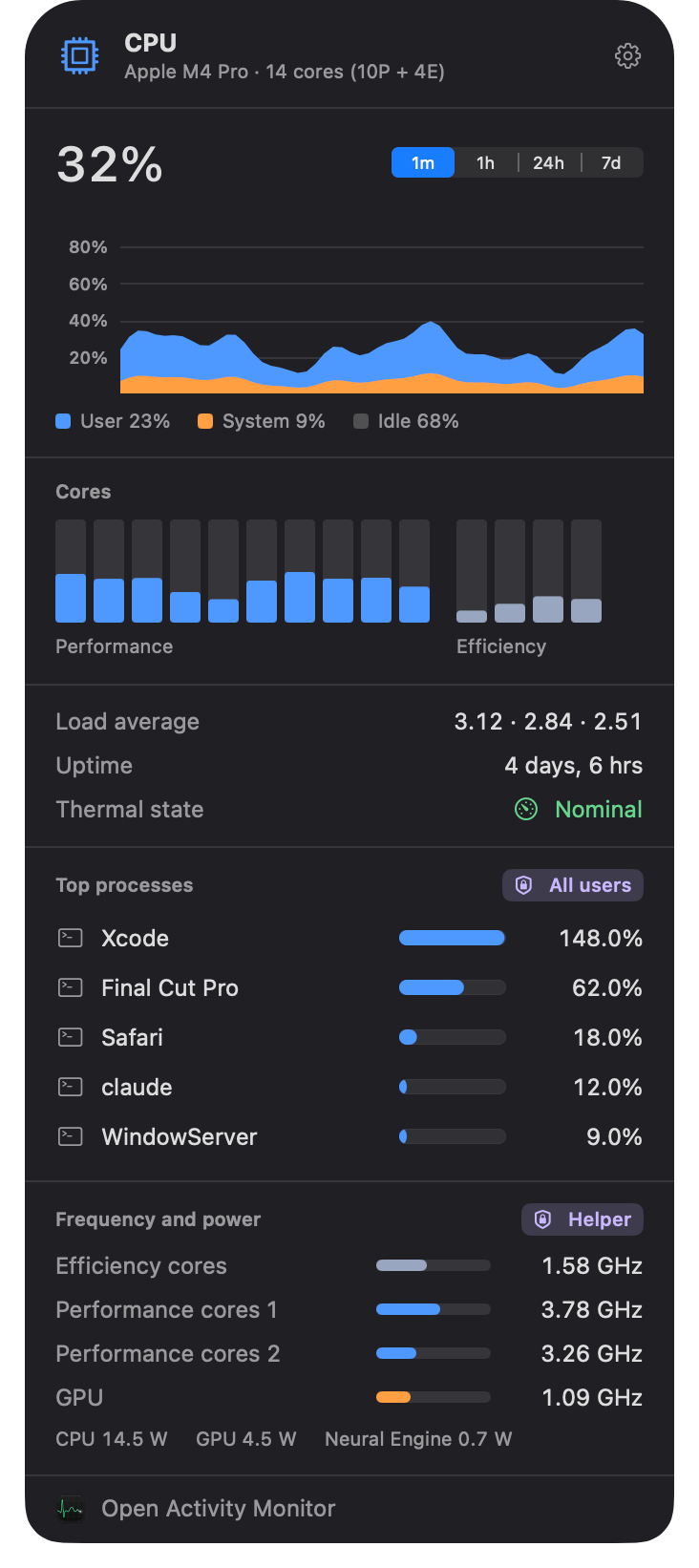
Stat Sentry is a menu bar system monitor. Six panels, each with its own menu bar item, and you show only the ones you want:
- CPU & GPU — performance and efficiency cores, per-core bars, load history, thermal state and throttling, top processes.
- Memory — built around memory pressure, the number macOS itself uses, plus swap, paging and the biggest users.
- Sensors — temperatures with readable names, fan speeds and power draw.
- Disks — throughput, free space, one-click eject, and SSD SMART health.
- Network — speeds, Wi-Fi details, local and public IP, DNS and interfaces.
- AI agents — it spots coding agents like Claude Code, Codex, Gemini CLI, Cursor, Copilot and Aider, tells you whether each is working or idle, and shows the models loaded in Ollama.
There are widgets in every size, and alerts that warn you before something runs out — say, when a local model is about to eat all your memory, or when an agent finishes its task.
It’s a sandboxed App Store app. What the sandbox doesn’t allow — temperatures, fans, every user’s processes — comes from a small, optional, read-only helper installed with SMAppService and reached over XPC. The app works without it.
$7.99, once. No subscription. Apple silicon, macOS 26 or later.
Agent Sentry — let agents work, keep them in bounds
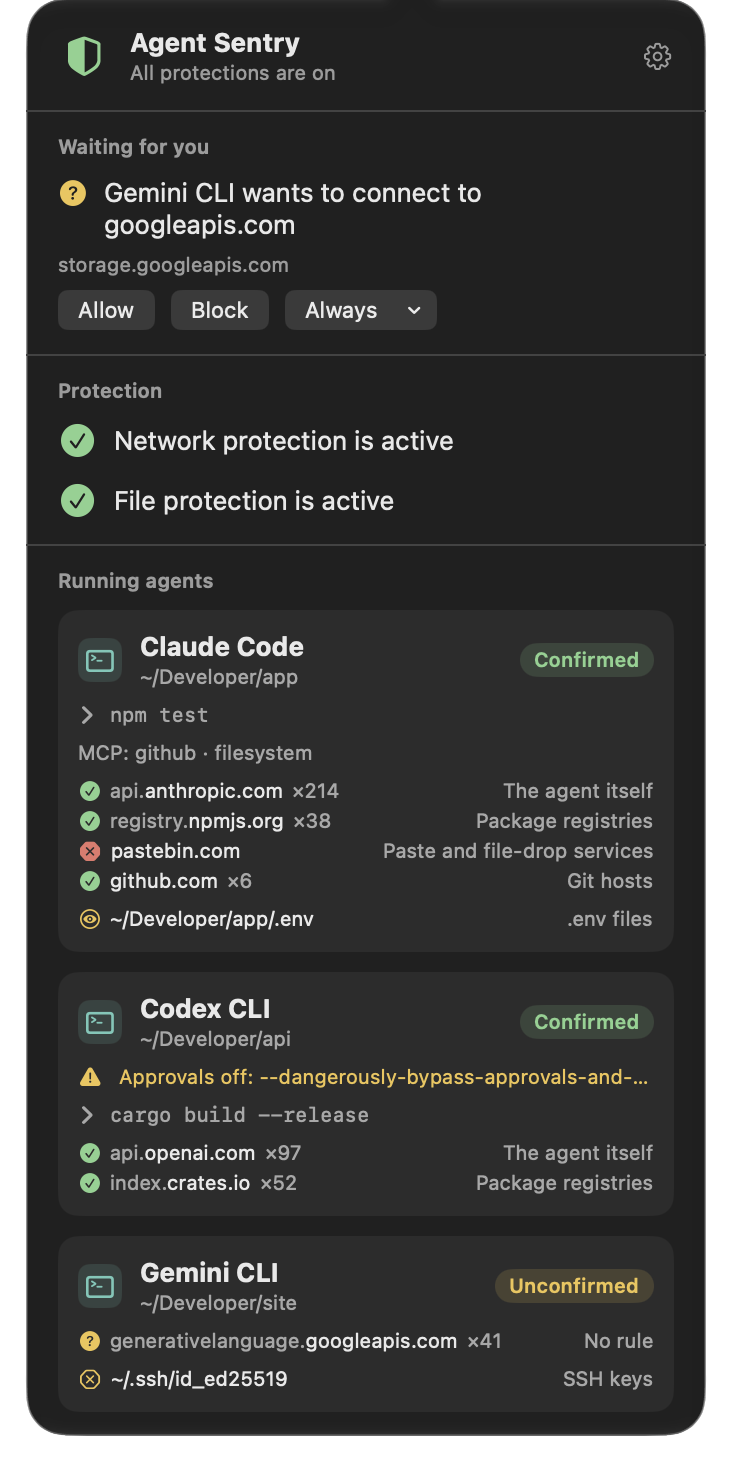
AI agents can run any command you can. Agent Sentry puts limits on what they may do — enforced outside the agent, so the agent can’t switch them off.
When an agent runs curl or cat, the program doing it is Apple’s, not the agent’s. So Agent Sentry recognizes 40+ agents, apps and model servers — Confirmed where the maker’s code signature proves it — and follows each agent’s whole family of processes: every shell, script, tool and MCP server it starts. Your own Terminal stays yours.
- A Network Extension content filter decides which servers each agent may reach. Paste and file-drop services are blocked from the start; package registries and Git hosts stay open, so builds keep working; hosts no rule covers can wait for your answer.
- It tells you when an agent runs with approvals off (
--dangerously-skip-permissions,--yoloand friends). - It checks a project for exposed secrets an agent could read —
.envfiles, unprotected private keys, tokens in configs — and shows where, never the secret.
With Agent Sentry Guard, a free add-on, you also decide which files agents may read or change and which programs they may run. It’s a system extension built on Endpoint Security — the same framework I work with day to day — and it starts by only recording, so you can see what a rule would have blocked before you turn blocking on.
$9.99, once. No subscription. Apple silicon, macOS 26 or later.
Private by design
Neither app has an account, analytics or tracking. What they measure stays on your Mac.
Both are close. Keep an eye on codice.pl — that’s where they’ll show up first — and if you have questions or ideas, write to me at piotr@codice.pl. 🚀