
Agent Sentry is out on the Mac App Store
Yesterday it was Stat Sentry. Today it’s the second app: Agent Sentry is now on the Mac App Store.
What it is
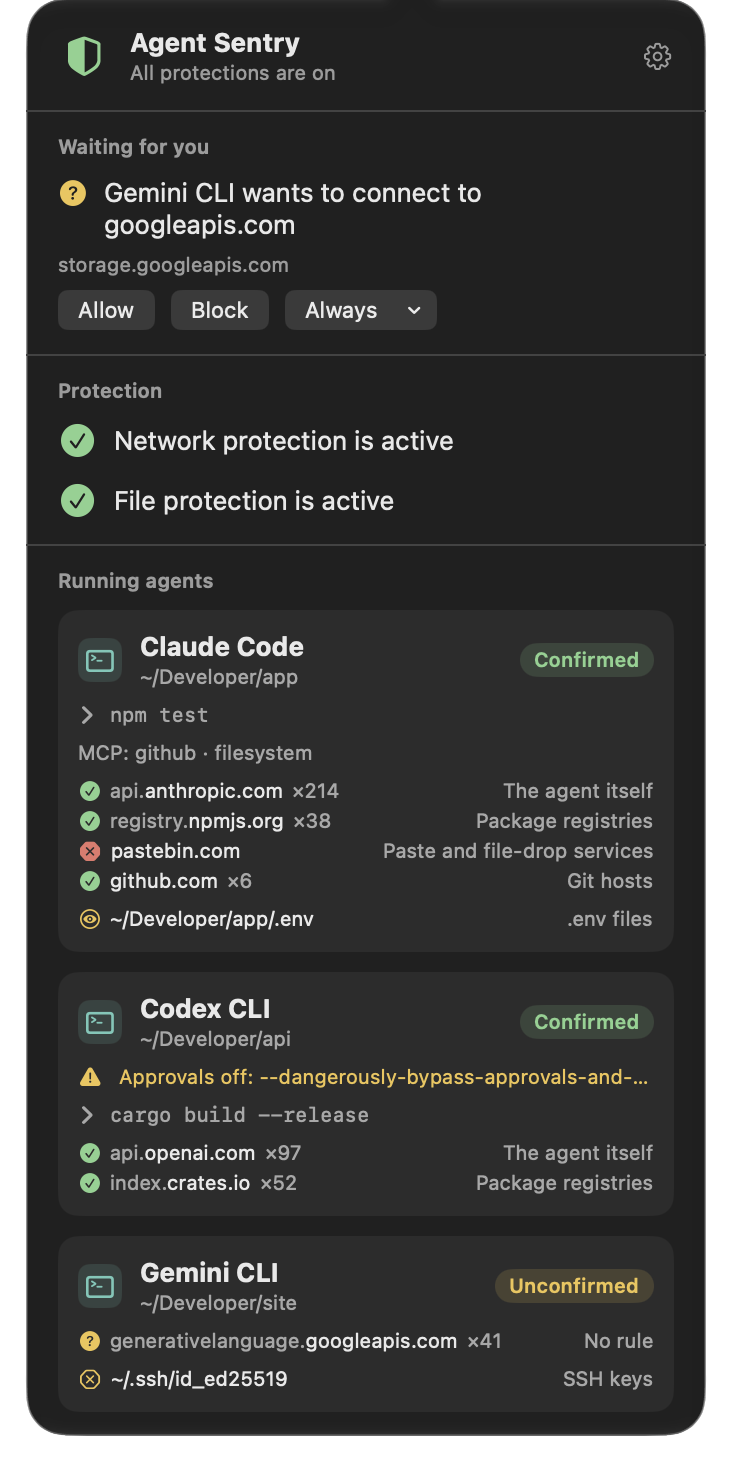
AI agents can run any command you can. Agent Sentry puts limits on what they may do, and keeps those limits outside the agent, in macOS, so an agent that can run anything still can’t switch them off.
When an agent runs curl, the program connecting is Apple’s, not the agent’s. So Agent Sentry starts by knowing who’s who:
- Agents, recognized. Claude Code, Codex, Gemini CLI, Cursor, GitHub Copilot, Aider, OpenCode, Goose and more than 40 agents, apps and model servers. They’re Confirmed where the maker’s code signature proves it. An agent known only by its name gets stricter rules.
- Whole sessions, followed. Every shell, script, tool and MCP server an agent starts belongs to its session, even after it detaches. Your own Terminal stays yours.
Which servers each agent may reach
A Network Extension content filter decides, connection by connection, for agents and everything they start. Every other app on your Mac is let through untouched.
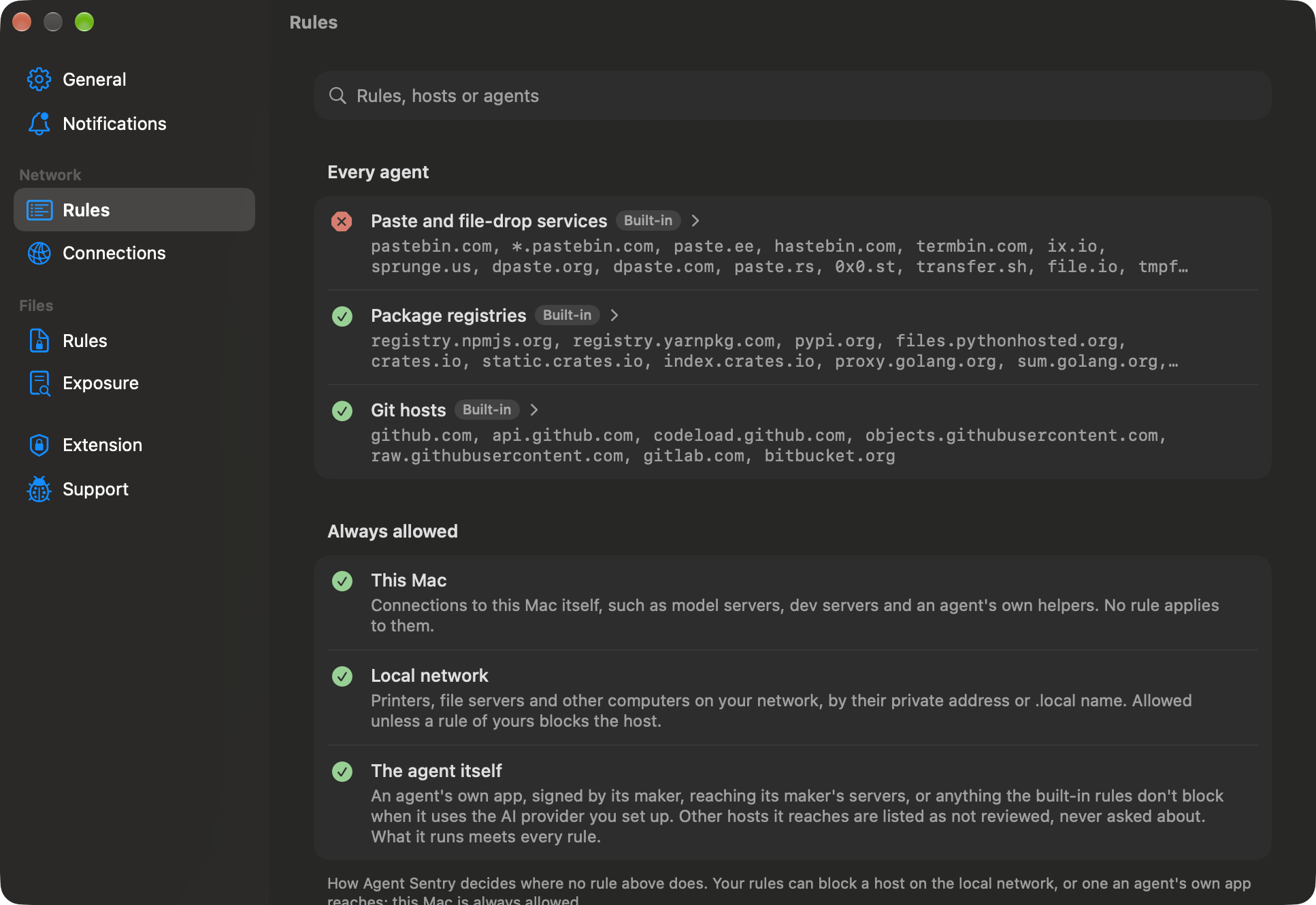
- Paste and file-drop services are blocked from the start. They’re the usual way to slip data out.
- Package registries and Git hosts are allowed, so builds keep working.
- Your Mac and your local network are always reachable.
- Edit or delete any rule, the built-in ones included, and limit a rule to the agents you choose.
It reads only the host a connection names, never what it carries, and nothing it sees leaves your Mac.
Ask before a new host
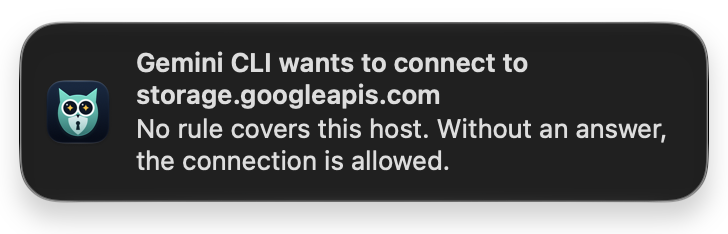
Turn it on, and a connection to a host no rule covers waits while you answer: Allow or Block, once or always, from the panel or right in the notification.
And two more things
- Approvals off. Agent Sentry tells you when an agent runs without asking you first, as with
--dangerously-skip-permissionsor--yolo. - Exposed secrets. Point it at a project, and it shows what an agent working there could read and send on:
.envfiles with values, private keys without a passphrase, tokens in agent and MCP configurations. It shows where it found each one and what kind, never the secret itself.
Agent Sentry Guard, free
The other half of Agent Sentry decides which files agents may read or change, such as SSH keys, cloud credentials, .env files and shell startup files, and which programs they may run. That takes Endpoint Security, Apple’s framework for security apps. Apps from the App Store can’t use it, so it lives in Agent Sentry Guard, a free, separate download from codice.pl, and you set its rules in Agent Sentry.
Update, the same evening: Apple granted the Developer ID version of the Endpoint Security entitlement, and the Guard is out. Download it from its page: notarized by Apple, and free for everyone who has Agent Sentry. With it installed, file protection is on, and it also keeps in an agent’s session the processes that detach from it before they ever connect, such as a daemon a postinstall script leaves behind.
Agent Sentry still works fully without it: everything above is the App Store app by itself. Until the Guard is installed, the menu bar shield shows yellow, partly protected.
Private by design
No account, no analytics, no ads, no tracking. What your agents do, and the rules you set, stay on your Mac. Agent Sentry only goes online to send a problem report you’ve read first.
Get it
$12.99, once. No subscription, and updates are free. Apple silicon, macOS 26 or later, in 12 languages.
- Download Agent Sentry on the Mac App Store
- Everything about it at codice.pl/agentsentry
- Agent Sentry Guard, free from codice.pl
If an agent you use isn’t recognized, or a rule gets in the way, write to me at piotr@codice.pl. This is version one, and I’m listening.
And thank you, Apple, for the entitlement. 🙏